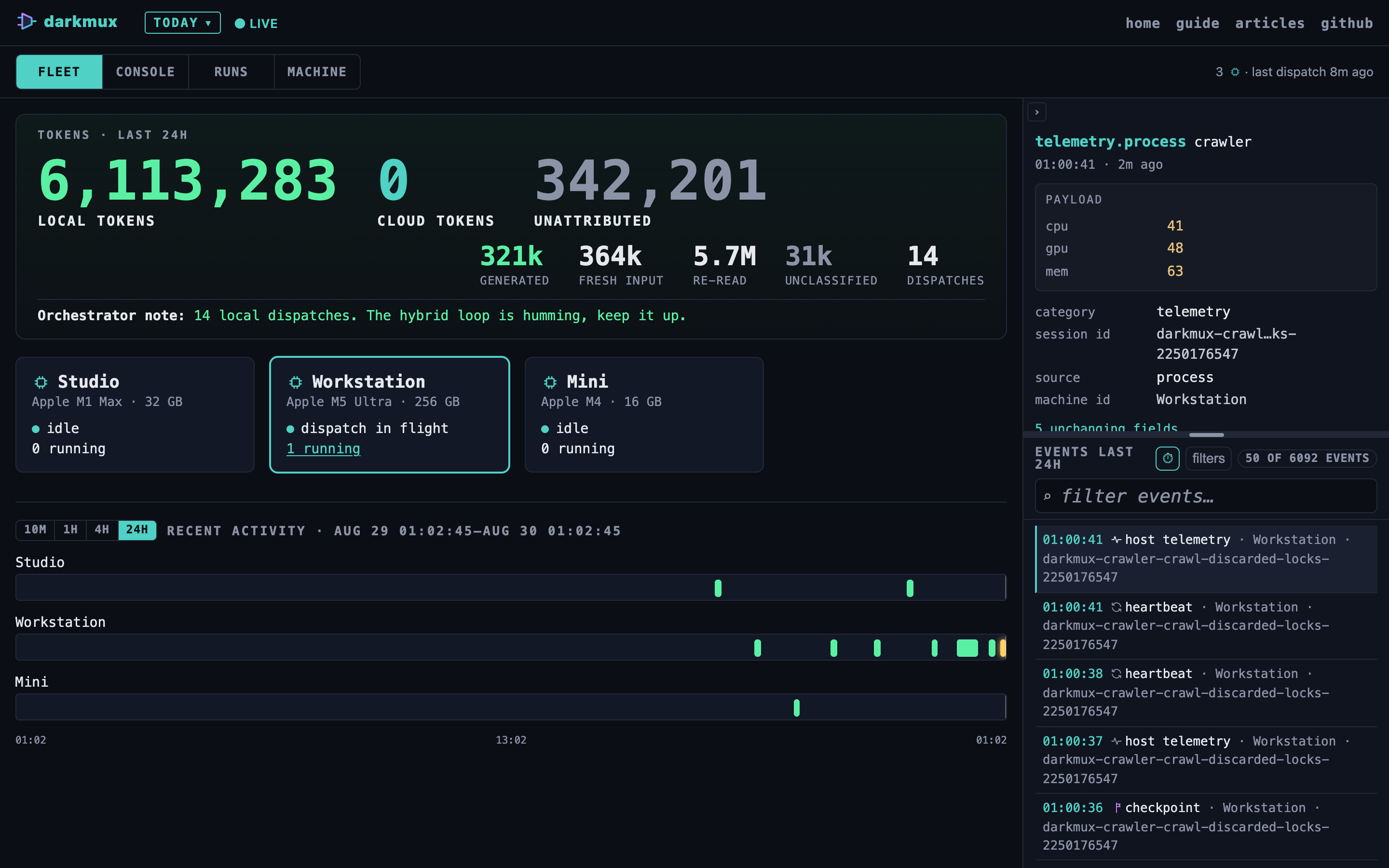
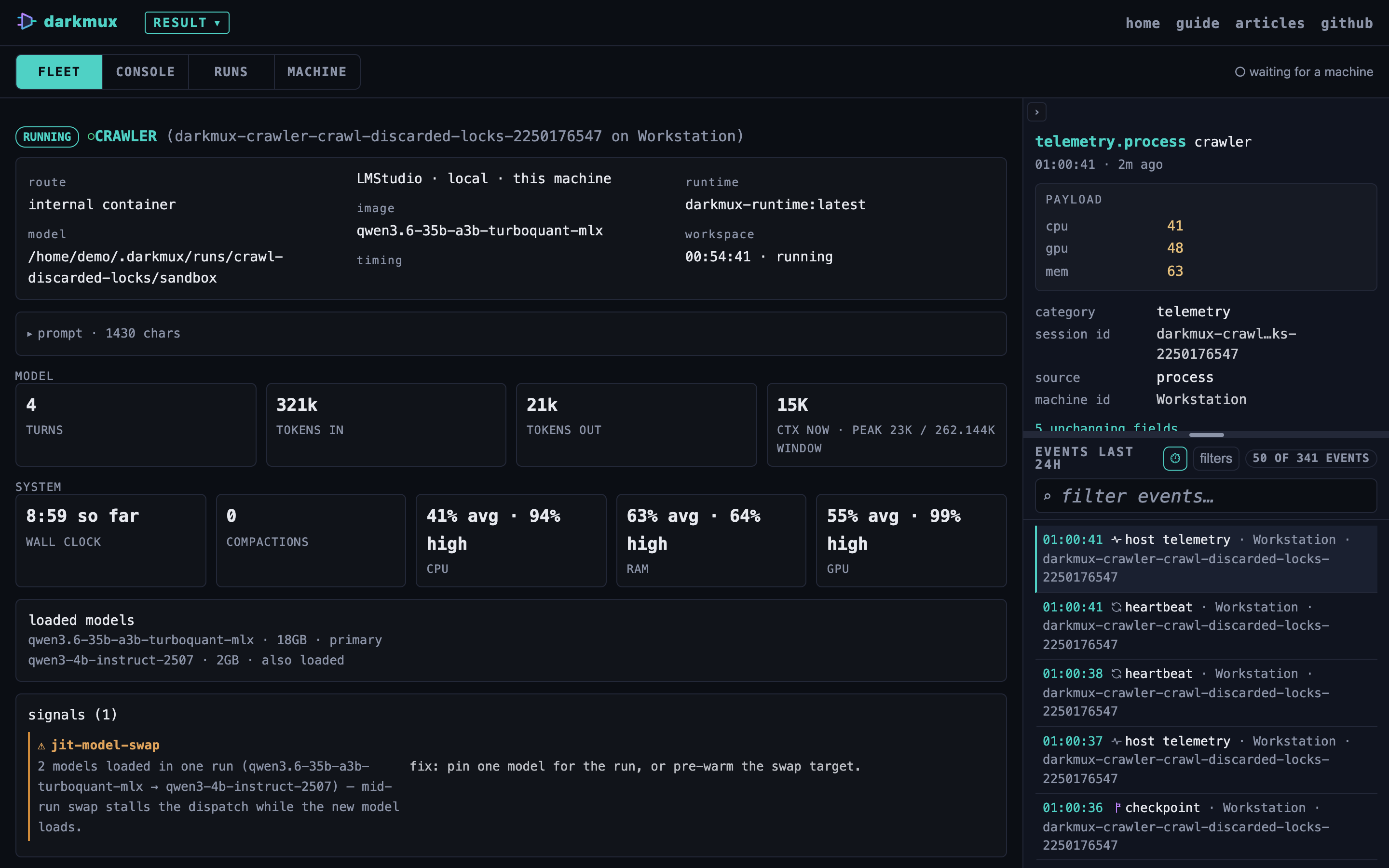
darkmux emits flow records as it works: what was dispatched, when, to which model, with what verdict. The daemon serves those records over HTTP; the /flow viewer renders them as a live timeline you can watch while darkmux operates.
Three pieces work together:
~/.darkmux/flows/<date>.jsonl via the LocalFileSink. Each record carries provenance fields (machine_id, orchestrator) auto-populated at write time from DARKMUX_MACHINE_ID / DARKMUX_ORCHESTRATOR env vars. The CLI writes these; no daemon required. Two opt-in sinks compose alongside via TeeSink: AuditFileSink (BLAKE3 hash-chained log; edits are detectable via darkmux flow integrity-check walking the chain — which is un-anchored, so it detects edits absent a full re-chain, not an OS append-only guarantee; enable via DARKMUX_AUDIT_DIR) and RedisSink (cross-machine coordination stream; enable via DARKMUX_REDIS_URL).darkmux serve daemon: a small HTTP server (default 127.0.0.1:8765) that reads those JSONL files and exposes them via REST endpoints + SSE tail, plus a /flow-status endpoint that introspects the sink composition + Redis health + schema drift./flow = live timeline + filters, /lab = redirects to the demo viewer, which renders live flow records from the daemon, /topology = upcoming fleet diagram per #169). All static: JS fetches from your local daemon, nothing uploaded.The daemon and viewer are decoupled: records keep landing on disk whether or not the daemon is running. The daemon being up is only required for live viewing.
Open a second terminal tab: the daemon is a foreground process that blocks until you Ctrl-C.
darkmux serve
Default bind: 127.0.0.1:8765. Override with --port or --bind if you need to:
darkmux serve --port 9000 --bind 127.0.0.1
The daemon currently has no authentication. Binding to 0.0.0.0 exposes your flow records — and the mission/sprint state of whatever you're working on — to anyone on your network. Stick with the loopback default for solo dev work.
curl -s http://127.0.0.1:8765/health
# {"darkmux_version":"1.9.0","flow_schema_version":"1.14.0"}
Or just run darkmux doctor: the daemon: reachable check will report Pass.
The viewer lives at darkmux.com/flow/. It's a static page: no backend, just JS that fetches from your local daemon.
Open the viewer in a new tab while your daemon is running to see the live shape. This guide intentionally ships without static screenshots: the viewer is iterating fast in this phase.
The viewer renders records as cards in a stepper. Each card shows:
model pill on dispatch cards shows which LMStudio model handled the work: your map from event-to-model.Run something that emits records and watch them land:
darkmux mission start <your-mission-id> # cyan: mission start record
darkmux sprint start <your-sprint-id> # cyan: sprint start record
darkmux crew dispatch coder --message "..."# green: dispatch start + (later) dispatch complete
darkmux sprint complete <your-sprint-id> # cyan: sprint complete + duration arc
If you keep the viewer open as you run those commands, the records appear in order: two cyan operator-tier records bracketing a green local-tier dispatch pair (with the model pill visible on each green card), followed by the cyan sprint-complete with its duration arc.
The records pair via session_id: dispatch start and dispatch complete share the same session id, which is how the wall-clock graphic computes duration. The viewer joins them automatically.
darkmux doctor includes a daemon: reachable check that probes 127.0.0.1:8765/health with a 500ms timeout. Three outcomes:
darkmux serve in another tab. Non-fatal: you can still do work; you just won't see it live.The check is Warn, not Fail: the daemon being off doesn't break anything end-to-end. It only disables live viewing.
When you run darkmux crew dispatch or darkmux sprint review while the daemon is off, you'll see a one-line stderr nudge:
[!] darkmux serve isn't reachable on 127.0.0.1:8765 — `crew dispatch` will
write flow records to disk but you won't see them live. To enable live
viewing, run `darkmux serve` in another tab.
The dispatch proceeds either way: this is situational awareness, not consent-gating. You won't commit to a multi-minute dispatch only to realize the viewer would have been empty.
If you started the daemon mid-dispatch, the records that landed before you started it are still visible. The viewer's Connect button fetches the whole day's file first, then opens an SSE stream for new records. No data lost.
| Endpoint | What it returns |
|---|---|
GET /health |
darkmux version + flow schema version. Used by doctor. |
GET /flow/<YYYY-MM-DD>.jsonl |
That day's full flow file as JSONL. |
GET /flow/<YYYY-MM-DD>/stream |
Server-Sent Events stream: new records appended to that day's file, in real time. |
GET /model/status |
Snapshot of lms ps --json. Used by the viewer's model-status pill. |
GET /missions |
All missions from ~/.darkmux/missions/ (status, sprint_ids, timestamps). |
GET /sprints |
All sprints from ~/.darkmux/sprints/ (status, mission_id, depends_on, timestamps). |
GET /flow-status |
Diagnostic snapshot of the flow substrate (active sinks, Redis health, disk health, schema drift). Same JSON shape as darkmux flow status --json; consumed by the store-status pill in the shared shell. |
Ctrl-C the daemon's terminal tab to stop. To restart after upgrading darkmux:
brew upgrade darkmux # or `cargo install --path . --force` from source
# Then in the daemon tab, Ctrl-C and re-run:
darkmux serve
The viewer auto-reconnects on the next interaction; no need to refresh.